

Digital wellbeing apps can be helpful, but they’re not strictly necessary for every family. The real answer depends on your child’s age, screen habits, and whether you have the time and consistency to enforce healthy boundaries without technology’s help.
Many parents find themselves caught between wanting to protect their child’s mental health and wondering if adding another app to the problem makes sense. It’s a fair question. The truth is that these tools work best as support, not substitutes. If you’re already struggling to monitor screen time or your child sneaks devices late at night, an app with built-in controls can provide structure where willpower alone falls short. They track usage patterns you might miss and create automatic guardrails that reduce daily battles.
But if your family thrives on conversation, clear rules, and your child respects agreements about device use, you may not need one at all. Digital tools should enhance your approach, not replace the relationship-building that truly shapes healthy habits.
Dr. Sarah Chen, a child psychologist specializing in technology and development, puts it plainly: “The app is only as good as the family’s commitment to talk about why limits matter. I’ve seen families transform their digital culture with a simple timer and regular check-ins, and I’ve seen expensive monitoring systems fail because no one discussed the values behind them.”
This guide will help you decide whether a digital wellbeing app fits your family’s needs, what features matter most if you choose one, and what alternatives exist when you’d rather keep technology out of the solution.
What Digital Wellbeing Apps Actually Do
Digital wellbeing apps are essentially monitoring and support tools that track how your child uses their devices. Most apps provide a dashboard showing total screen time, which apps were opened and for how long, and patterns across days or weeks. You’ll see if your child spent three hours on social media yesterday or if gaming spiked on weekends.
Beyond basic tracking, these apps typically offer controls. You can set time limits for specific apps or categories, schedule device downtime (like during homework or bedtime), and block certain content. Some apps send gentle notifications when screen time reaches a preset threshold, giving your child a chance to wrap up what they’re doing.
Focus features help children concentrate by temporarily blocking distracting apps during study sessions or homework time. You might set up a “focus mode” that allows only educational apps and messaging for emergencies while locking out games and social media for an hour.
Sleep support tools discourage late-night scrolling by dimming blue light, enabling grayscale mode after a certain hour, or simply locking the device down at bedtime. The goal is to help establish consistent sleep routines without constant negotiations.
Many apps now include mindfulness components, breathing exercises, guided meditation, or mood check-ins. Research suggests mindfulness app benefits kids by reducing anxiety and improving emotional regulation when used consistently.
What these apps cannot do is understand context. They don’t know if your child is on their phone researching a school project or mindlessly scrolling. They won’t address why your child reaches for their device when stressed or bored. And they certainly can’t replace conversations about healthy habits or the reasons behind family tech rules.
When Digital Wellbeing Apps Are Helpful

Building Awareness Without Shame
The best digital wellbeing apps frame screen time data as information, not judgment. Instead of telling a child they’ve spent “too much” time online, they show patterns: “You watched videos for two hours yesterday and one hour today.” This neutral presentation helps children notice their own habits without feeling scolded.
When kids can see their usage visualized, graphs showing app time, charts comparing weekdays to weekends, they start asking their own questions. “I didn’t realize I checked social media that many times.” That self-discovery carries more weight than a parent’s lecture.
Some apps let children set their own goals and track progress, which shifts the dynamic from external control to internal motivation. A ten-year-old who decides she wants to spend less time gaming and more time drawing can watch her choices change over weeks. She’s learning to self-regulate, not just comply.
The key is conversation. Apps work best when parents review the data together with their child, asking open questions: “What do you notice?” or “Does this surprise you?” rather than issuing consequences. This collaborative approach builds digital literacy and critical thinking, skills that matter far more than any single number on a screen.
Supporting Neurodivergent Children
Children with ADHD, autism, or sensory processing differences often thrive with structure that their brains can see and anticipate. Digital wellbeing apps excel at making the invisible visible, turning abstract concepts like “time passing” or “transition coming” into concrete visual cues that reduce anxiety and support executive function.
Visual timers show exactly how much time remains before an activity ends, eliminating the surprise that triggers meltdowns. Push notifications can gently prepare a child for upcoming transitions, providing the processing time neurodivergent children often need. Daily routine dashboards create predictable patterns that help anxious children feel secure, while customizable reminders support kids who struggle with working memory or task initiation.
For autistic children who appreciate clear rules and consistency, these apps provide exactly that, no ambiguity about expectations, no shifting goalposts based on a parent’s mood. Children with ADHD benefit from immediate feedback loops that help them connect their choices to outcomes without waiting for a parent’s intervention.
The key is using these tools to scaffold independence, not create dependency. When a child can see their own patterns, set their own timers, and track their progress toward goals they helped establish, the app becomes a support system rather than surveillance. That distinction matters tremendously for building self-regulation skills that will serve them long-term.
When They’re Not Enough (or Not the Right Solution)
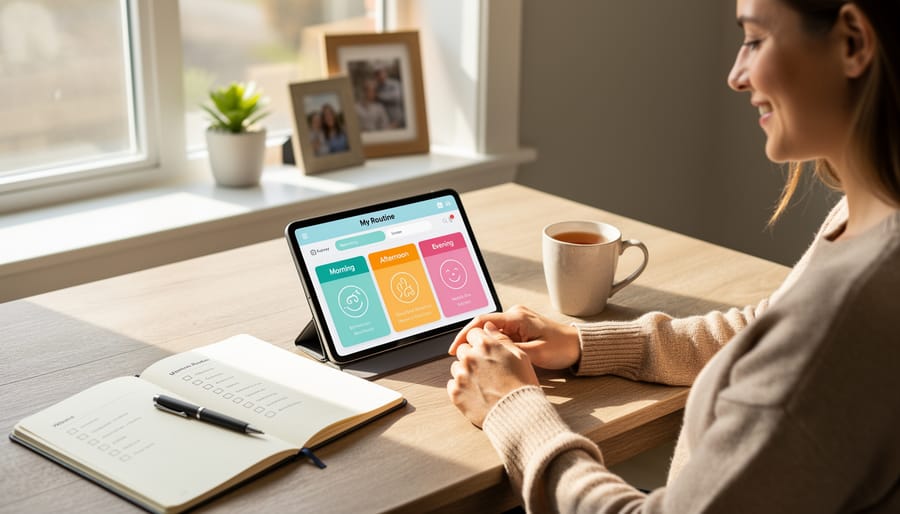
Digital wellbeing apps can be genuinely useful, but they’re not magic bullets for mental health concerns. If your child is struggling with anxiety, depression, or behavioral issues that significantly impact daily life, an app won’t replace professional support. These tools can track patterns and create structure, but they can’t provide the nuanced understanding that a therapist or counselor offers. Think of them as helpful aids, not substitutes for the deeper work that happens in therapy.
There’s also an inherent irony: we’re using more technology to solve problems created by too much technology. Some families find this circular solution uncomfortable, and that’s valid. If your child already feels overwhelmed by screens, adding another digital layer might feel counterproductive, even if the app promises to reduce screen time overall.
Over-monitoring presents another real concern. Constant tracking can erode trust between you and your child, especially with older kids and teens who need privacy to develop autonomy. When children feel surveilled rather than supported, they often find workarounds or simply disengage. The relationship damage can outweigh any benefits the app might provide.
Privacy is worth considering, too. Many apps collect detailed data about your child’s digital habits, and not all companies handle that information responsibly. Even well-intentioned apps using AI tools to analyze behavior patterns raise questions about data security and long-term storage.
Finally, apps can’t replace you. Your attention, conversations, and presence matter more than any algorithm. If you’re relying entirely on an app to manage your child’s digital life while staying disconnected from what they’re actually experiencing online, the tool becomes a band-aid covering a deeper gap. Technology can support your involvement, but it can’t substitute for it.
What to Look for in a Digital Wellbeing App for 2026
If you’ve decided a digital wellbeing app might help your family, choosing the right one matters. Not all apps serve the same purpose, and some are genuinely better suited to children than others.
Start with age-appropriateness. Apps designed for teens often assume a level of self-regulation and abstract thinking that younger children haven’t developed yet. Look for tools that match where your child actually is developmentally, not where you wish they were. Some apps use visual timers and simple icons for younger kids, while others offer more sophisticated analytics and goal-setting features for adolescents.
Privacy protections should be non-negotiable. Read the privacy policy before installing anything. Does the app sell data to third parties? Does it track location? Who has access to the information it collects? Given the sensitivity around minor consent and children’s rights, you want transparency about what data is gathered and how it’s used.
Here’s a quick comparison of features to prioritize:
| Feature | What to Look For | Why It Matters |
|---|---|---|
| Privacy Settings | No data sharing, clear policies | Protects your child’s information |
| Age Range | Matches your child’s developmental stage | Ensures features are actually usable |
| Customization | Adjustable limits, personalized goals | Fits your family’s unique needs |
| Cost | Free tier or reasonable subscription | Sustainability for long-term use |
Ask whether the app teaches or just restricts. The best tools help children understand their habits and make better choices, not just lock them out when time runs out. Does it explain why breaks matter? Does it encourage reflection?
Finally, consider whether it builds independence or creates dependence. An app that requires constant parental oversight defeats the purpose. You want something that gradually hands control to your child as they demonstrate readiness, not another thing for you to manage indefinitely.
Alternatives and Complementary Approaches

Whether or not you choose an app, some of the most effective digital wellness strategies involve no technology at all, or at least, very little. These approaches often work beautifully alongside apps, or they can stand alone if you prefer a simpler route.
Start with a family media agreement. Sit down together and create written guidelines everyone agrees to follow: no phones during dinner, devices stay out of bedrooms after 8 p.m., weekends include one screen-free activity. The key is making it collaborative, not dictatorial. When children help set the rules, they’re more likely to respect them. Print it out, sign it, stick it on the fridge. It feels old-school because it is, and that’s exactly why it works.
Establish device-free zones in your home. The dinner table, bedrooms, and the car during short trips are natural candidates. These physical boundaries create predictable moments for connection without anyone needing to check an app or set a timer. They just become the way your family operates.
Prioritize outdoor time and physical activity. A child who spends an hour playing outside, riding a bike, or kicking a ball around will naturally spend less time scrolling. Movement also regulates mood and reduces anxiety in ways no screen can replicate.
Co-view and co-play when your child is using devices. Watch YouTube videos together, play their favorite game with them, talk about what they’re seeing. This transforms passive consumption into shared experience and gives you insight into their digital world without surveillance.
Most importantly, model the behavior you want to see. If you’re constantly on your phone, your rules will ring hollow. Children learn more from what we do than what we say.
Making the Decision That’s Right for Your Family
Start by considering your child’s current relationship with technology. If they’re already managing their screen time independently or showing awareness of when they need breaks, an app might be unnecessary overhead. But if you’re seeing patterns, trouble sleeping, difficulty focusing on homework, or emotional reactions when devices are taken away, that’s when a structured tool might help.
Your family’s values matter more than what works for someone else. Some parents feel uncomfortable with monitoring software, while others view it as a reasonable boundary for younger children. Neither approach is inherently wrong. Think about whether you’d rather establish trust through open conversation or provide guardrails that evolve as your child matures. Many families use a combination: apps for younger children, gradually shifting to dialogue-based agreements as kids demonstrate responsibility.
At what age should I consider a digital wellbeing app?
Most apps are designed for children aged 6-17, but the decision depends more on your child’s maturity and existing habits than a specific age. Younger children benefit from simple time limits, while teens may prefer apps that track their own patterns without parental controls.
Should I tell my child I’m using a monitoring app?
Transparency builds trust. Most child development experts recommend discussing any monitoring openly, explaining it as a family safety measure rather than surveillance, and involving your child in setting appropriate boundaries together.
How long should we try an app before deciding if it works?
Give it at least 2-3 weeks to see patterns emerge. Initial resistance is normal, but if conflict escalates or the app creates more problems than it solves after a month, it may not be the right fit for your family.
If you’re genuinely uncertain about your child’s mental health or digital habits, quick child assessments can clarify whether technology use is a symptom of deeper concerns. Trust your instincts, you know your child best.
So, is a digital wellbeing app necessary? Not universally, but it might be the right choice for your family right now. These tools work best when they support the conversations and boundaries you’re already creating, not when they replace your presence or judgment.
What matters most isn’t which app you choose or whether you use one at all. It’s staying curious about your child’s digital world, creating space for honest conversations, and modeling the balance you hope to see. Technology changes constantly, but your relationship with your child remains the anchor.
If you’re feeling overwhelmed or notice persistent signs of distress, withdrawn behavior, sleep disruption, declining school performance, or anxious patterns around device use, trust that instinct. A licensed therapist specializing in child development can offer personalized guidance that no app can replicate. Sometimes the most powerful intervention is simply asking for help.
You know your child better than any algorithm ever will. Start there, adjust as you go, and remember that progress rarely looks perfect. Digital wellness, like all aspects of parenting, is something you figure out together.