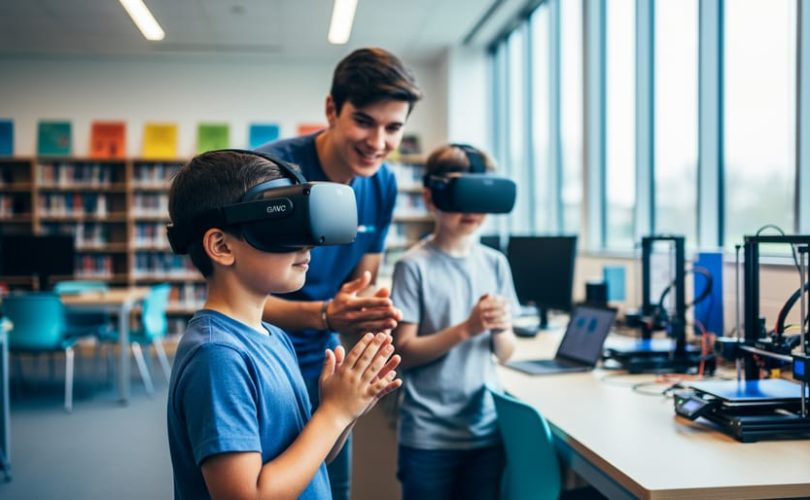
Public libraries across North America now offer free virtual reality stations and programs where children and teens can explore everything from underwater ecosystems to historical landmarks, all under the guidance of trained library staff. These supervised VR experiences give families a cost-free way to access technology that might otherwise be out of reach, while libraries curate content specifically chosen for educational value and age-appropriateness.
If you’re a parent curious about whether your local library has VR equipment or how these programs actually work, you’ll find most libraries operate drop-in sessions or scheduled programs ranging from 15-minute experiences to hour-long workshops. The equipment typically includes standalone headsets that don’t require smartphones or gaming consoles, and librarians help children get started and troubleshoot any technical issues.
What makes library VR programs particularly valuable is the combination of access and support. Beyond just providing the hardware, libraries create a community space where children can try VR games for kids and educational experiences alongside peers, with adults nearby to facilitate positive interactions. This supervised environment helps address concerns many parents have about screen time and isolated technology use.
Libraries also consider developmental appropriateness when selecting VR content, focusing on experiences that encourage curiosity, problem-solving, and learning rather than purely entertainment-focused games. Understanding how these programs work can help you decide whether library VR might be a good fit for your family.
How Libraries Are Using Virtual Reality Today
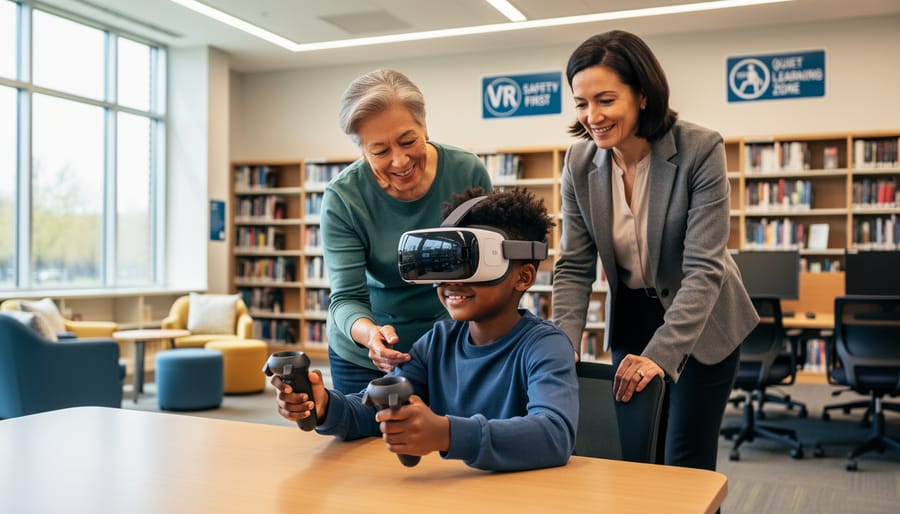
Walk into many public libraries today and you’ll find more than books and computers. VR headsets have become standard equipment in hundreds of libraries nationwide, offering everyone from preschoolers to seniors hands-on access to immersive technology they might not encounter elsewhere.
Most library VR programs fall into several categories:
- Educational simulations that let visitors explore historical sites, the human body, or distant planets
- Art and design tools where users create 3D sculptures, paint in virtual space, or build digital environments
- Virtual field trips to museums, natural wonders, and cultural landmarks around the world
- Gaming sessions featuring puzzle games, rhythm challenges, and collaborative adventures
- Job training programs teaching practical skills from public speaking to equipment operation
- Storytelling experiences that bring books and narratives to life in interactive formats
What you’ll actually experience varies by location. Some libraries dedicate entire rooms to VR with multiple stations, trained staff, and scheduled programs. Others offer drop-in sessions where families can reserve 15-30 minute time slots. Many run special workshops during school breaks or weekend family programs that combine VR with related activities like coding classes or maker projects.
The New York Public Library system runs regular VR programs across branches, while smaller rural libraries often share VR equipment through regional library networks. Staff typically help visitors choose age-appropriate content, adjust equipment for comfort, and ensure everyone understands how the technology works before they begin.
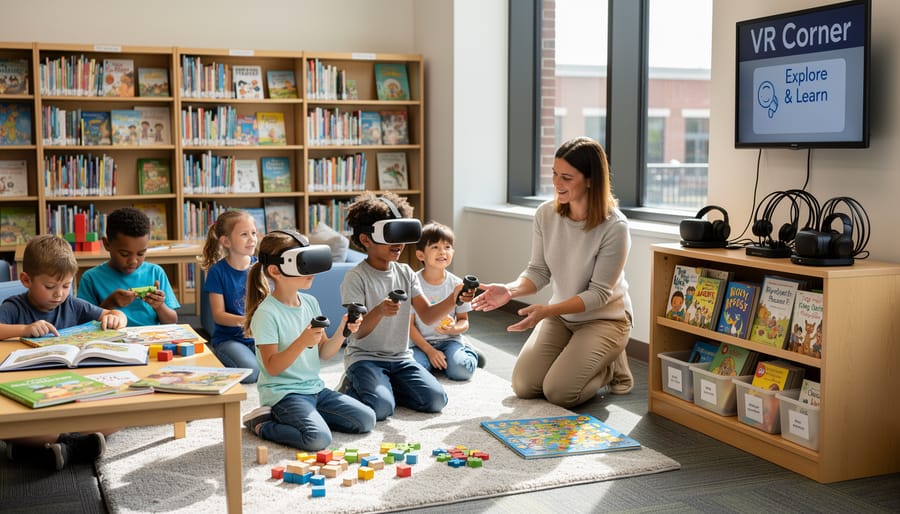
Most programs require parental presence for children under 13, and sessions are intentionally kept short. Libraries prioritize group experiences over isolated use, often projecting what the VR user sees onto a screen so family members can watch, discuss, and participate in the experience together. This supervised, community-centered approach distinguishes library VR from home gaming systems, creating a shared learning environment rather than solitary screen time.
The Mental Health Benefits of Library VR Programs
Building Confidence Through Safe Exploration
Virtual reality in library settings offers children something they can’t always find elsewhere: a genuinely safe space to step outside their comfort zones. When a child puts on a VR headset in a supervised library program, they might explore ancient ruins, present to a virtual classroom, or navigate a maze. These experiences carry no real-world consequences, which makes them powerful practice grounds.
A seven-year-old who feels anxious about speaking up in class can rehearse presentations to virtual audiences. A child who’s nervous about swimming can experience being underwater without physical risk. They’re building what psychologists call “mastery experiences”, small successes that stack up over time and tell a child “I can handle new things.”
What makes library VR particularly valuable is the supportive context. Unlike solo gaming at home, these programs typically include librarian guidance and opportunities to share experiences with peers afterward. Children try something challenging, succeed (or safely “fail” and try again), then process what happened with caring adults nearby.
This scaffolded approach to new experiences helps children develop resilience and self-efficacy. They learn that uncomfortable feelings don’t have to stop them from trying, and that practice makes unfamiliar situations feel manageable. For many children, these low-stakes virtual explorations become confidence they carry into their actual lives.
Supporting Children With Anxiety and Social Challenges
For children who find crowded playgrounds overwhelming or group activities stressful, library VR programs offer a gentler entry point. Many libraries design experiences specifically for neurodivergent children and those with social anxiety, creating predictable environments where kids can engage at their own pace without the unpredictability of traditional social settings.
Research on VR for children with autism suggests that immersive technology can help these children practice social scenarios in controlled settings, building skills they can transfer to real-world interactions.
Library programs leverage this by offering one-on-one or small-group sessions where children can explore virtual worlds without sensory overload. A child who struggles with eye contact might feel more comfortable communicating about what they see in VR. Those with specific fears can gradually expose themselves to triggering situations, like heights or crowded spaces, within a safe environment they can remove themselves from instantly.
The key difference from home VR use is supervision. Trained library staff can recognize when a child needs support, suggest experiences matched to their comfort level, and help them process what they’re experiencing. This structure makes library VR programs a therapeutic tool rather than just entertainment.
Encouraging Creativity and Problem-Solving
Library VR programs offer children opportunities to tackle challenges that naturally strengthen their ability to manage emotions and think through problems. When a child navigates a virtual archaeology site or designs a 3D art piece, they’re making real decisions about what to try next, how to fix mistakes, and when to ask for help, skills that carry over to everyday situations.
These experiences build what psychologists call executive function: the mental tools we use to plan, focus attention, and regulate our responses. A child who learns to stay calm when their virtual rocket doesn’t launch correctly, then methodically troubleshoots the issue, is practicing emotional regulation in a context where mistakes feel manageable. The same problem-solving mindset helps them handle homework frustration or friendship conflicts.
The creative freedom in many library VR programs is particularly valuable. Children can paint in three dimensions, compose music by moving through space, or build structures limited only by imagination. This open-ended play reduces performance pressure while encouraging experimentation, a combination that supports both creative thinking and emotional resilience. When children see their ideas take shape in virtual space, it reinforces their sense of capability and builds the confidence to tackle new challenges.
What Parents Should Consider Before Library VR Sessions
Before introducing your child to VR programs at your local library, a few practical considerations can help ensure the experience is safe, developmentally appropriate, and genuinely beneficial for your family.
Age Guidelines Matter
Most library VR programs set a minimum age of seven or eight, following manufacturer recommendations for headset use. These guidelines exist because younger children’s eyes are still developing, and their interpupillary distance (the space between their pupils) may not align well with standard headset optics. Beyond physical readiness, consider your child’s emotional maturity. Can they distinguish virtual experiences from reality? Do they get overwhelmed by intense sensory input? A child who covers their eyes during mildly scary movies might not be ready for immersive VR, regardless of their chronological age.
Start With Short Sessions
Even when libraries offer longer time slots, begin with 10 to 15 minutes for first-time users. VR creates intense sensory experiences that can feel exhausting, particularly for children still adjusting to the technology. Watch for signs of discomfort: dizziness, eye strain, headaches, or disorientation afterward. Some children adapt quickly and ask for more time; others need multiple short visits before they’re comfortable with longer sessions.
Content Selection Is Critical
Ask library staff what specific programs they offer. Educational experiences exploring ocean ecosystems differ vastly from action games or social platforms. The best library programs curate age-appropriate content, but you should still understand what your child will encounter. Just as you might preview e-learning games before your child uses them, request demonstrations or descriptions of VR content before sessions.
Know Your Child’s Sensitivities
Children with sensory processing differences, motion sickness, or certain anxiety triggers need extra consideration. Some VR experiences work beautifully for these kids, offering controlled environments they can explore at their own pace. Others might prove overwhelming. Talk with library staff about your child’s specific needs. Many librarians have worked with diverse groups and can recommend appropriate starting experiences or suggest alternatives if VR isn’t the right fit.
The goal isn’t perfection but finding what works for your individual child’s developmental stage and temperament.
Potential Concerns and How Libraries Address Them
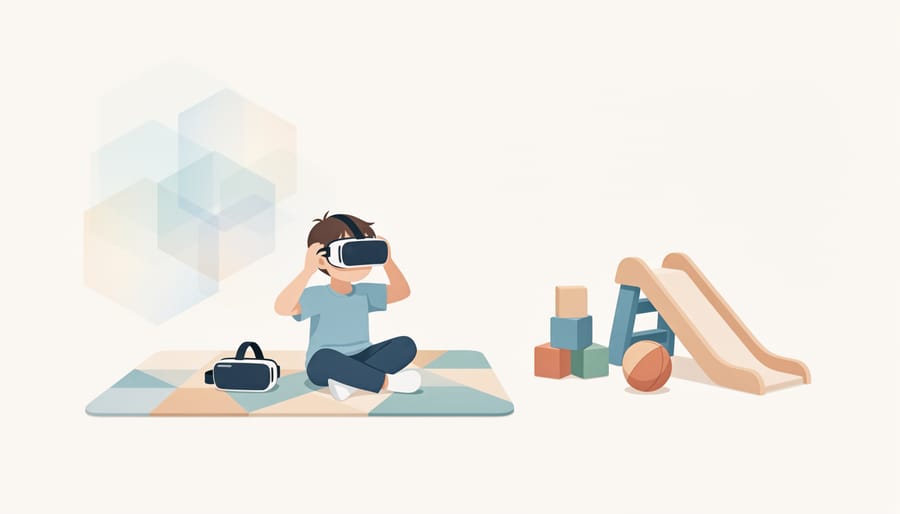
It’s natural to have questions about VR technology and your child. Many parents worry about screen time, physical side effects, or whether VR experiences might replace real-world interaction. These concerns are valid, but library VR programs are specifically designed with safeguards that address them.
Libraries take a fundamentally different approach than commercial VR or home use. Programs are supervised by trained staff, limited in duration, and carefully curated for age-appropriate content. This structured environment creates meaningful differences in how children experience the technology.
| Parent Concern | How Libraries Address It |
|---|---|
| Excessive screen time | Strict session limits (typically 10-20 minutes), scheduled programs, no unlimited access |
| Physical effects (dizziness, eye strain) | Age restrictions, mandatory breaks, staff monitoring for discomfort, adjusted settings for younger users |
| Inappropriate content | Pre-vetted educational experiences only, no internet access, controlled library of approved programs |
| Social isolation | Group activities, collaborative experiences, facilitated discussion before and after sessions |
Most libraries restrict VR sessions to 15 minutes or less, particularly for younger children. This isn’t arbitrary. Staff understand that shorter experiences prevent physical discomfort and keep VR as one small part of a library visit rather than the main attraction. Children often participate in group programs where they take turns, watch each other’s experiences on monitors, and discuss what they’re seeing together.
Content curation matters tremendously. Libraries don’t provide access to commercial gaming platforms or app stores. Instead, they select specific educational programs aligned with learning objectives. A child using VR at the library encounters museum tours, scientific simulations, or creative building tools, not violent games or unmoderated social spaces.
Physical safety protocols are standard. Staff help children adjust headsets properly, ensure play areas are clear of obstacles, and watch for signs of discomfort. Many libraries use equipment specifically designed for children, with lighter headsets and adjusted visual settings that reduce eye strain.
The social component distinguishes library VR from isolated home use. Librarians facilitate conversations about what children experienced, connect virtual content to physical books or activities, and encourage children to share discoveries with peers. A child who virtually explores the ocean might leave with marine biology books and new friends who share that interest.
Parents can ask librarians directly about their program’s specific policies. What content is available? How long are sessions? What age restrictions apply? How do you handle a child who feels dizzy or uncomfortable? Quality library programs have clear answers to these questions, and staff who welcome parent involvement in deciding whether VR is appropriate for your individual child.
Making the Most of Library VR Experiences
Start by checking what your library offers before your first visit. Call ahead or browse their website to learn which VR programs they have, whether you need to reserve a time slot, and what age restrictions apply. Some libraries limit sessions to older children or require parent accompaniment for younger users.
Before the session, talk with your child about what to expect. Explain that they’ll wear a headset that shows them different places and activities, but they’ll still be in the library the whole time. If your child tends toward anxiety with new experiences, watching a quick video together of other kids using VR can help demystify the technology.
During the experience, stay nearby if the library allows it. Your presence provides reassurance, and you’ll better understand what your child experienced when you discuss it later. Pay attention to how they react, some children become fully absorbed while others feel overwhelmed after ten minutes.
The real value comes in the conversation afterward. Ask open-ended questions: “What surprised you most?” or “If you could go back, what would you explore differently?” These discussions help children process what they’ve learned and connect virtual experiences to their everyday world. If they explored ancient Egypt in VR, follow up with library books about pyramids or try related hands-on activities at home, similar to how AR learning benefits extend beyond the initial digital experience.
Treat library VR as one part of a varied diet of activities. Balance it with outdoor play, reading time, creative projects, and unstructured imaginative play. A twenty-minute VR session every few weeks fits naturally into this mix without displacing other important experiences.
Keep sessions short, especially at first. Most libraries already limit time, but even within that window, watch for signs your child needs a break. If they seem disoriented or complain of discomfort, end the session early. There’s always next time.
Library VR programs offer a supervised way for children to explore emerging technology with guidance from trained staff and supportive community resources. These aren’t isolated gaming sessions but structured experiences designed to balance innovation with developmental appropriateness. Before making any decisions, visit your local library to see their setup firsthand, ask about their safety protocols and time limits, and observe how staff interact with young users. Talk with librarians about your child’s specific interests and needs. Just as quick neuroscience videos can complement traditional learning, library VR can be one thoughtful element in your child’s broader technology experience when approached with care and clear boundaries.