
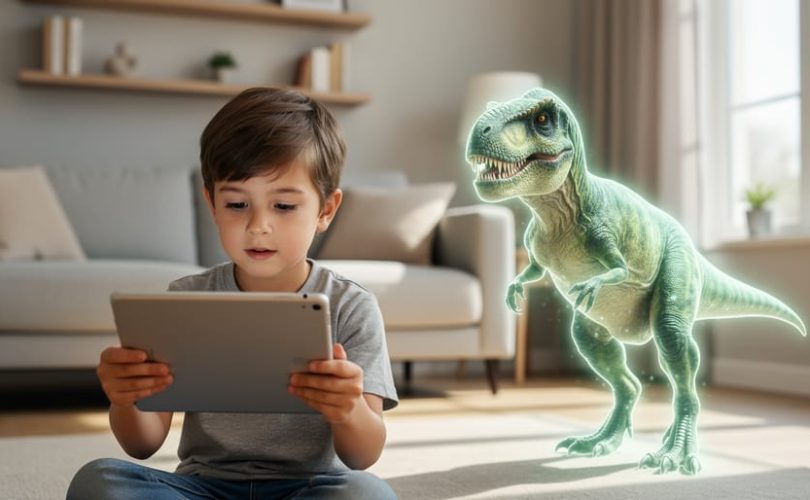
Augmented reality is not artificial intelligence, though the two technologies often work together. AR overlays digital images, sounds, or information onto the real world through a device like a smartphone or tablet, while AI refers to computer systems that can learn, reason, and make decisions. Think of it this way: AR changes what you see, AI changes how a computer thinks.
If you’re a parent or educator trying to make sense of the tech tools your kids are using, this distinction matters more than you might expect. When your child points their tablet at a book and sees an animated dinosaur pop up, that’s augmented reality at work. If that dinosaur responds to their questions or adapts the learning experience based on how they’re doing, AI is probably part of the equation too.
The confusion between these technologies is completely understandable. Many modern learning apps and therapeutic tools combine both, making it hard to tell where one ends and the other begins. A reading app might use AR to bring story characters into your living room while AI tracks your child’s progress and adjusts the difficulty level.
Understanding what each technology does helps you make informed decisions about screen time, privacy settings, and which tools genuinely support your child’s development versus those that just look flashy. This article will break down how AR and AI work separately and together, show you real examples from educational and therapeutic settings, and give you the practical knowledge you need to evaluate these tools for the children in your care.
What Augmented Reality Actually Is

Augmented reality might sound complicated, but your child has probably used it without realizing. At its core, AR overlays information pictures, text, sounds, or 3D objects, on top of what you’re seeing in the real world. It’s like adding a digital layer to everyday life.
Think of how Snapchat filters put dog ears on your child’s face or how Pokemon GO places cartoon creatures in your backyard. These apps use your phone’s camera to show you the real world, then add digital elements that appear to exist right there alongside real objects. AR doesn’t replace what you see; it enhances it.
The technology needs three things to work: a camera to capture the real world, a screen to display it, and software to add the digital layer. That’s why most AR experiences happen on tablets, smartphones, or specialized glasses. The device figures out where it is in space, what it’s looking at, and where to place digital objects so they seem to belong there.
- Augmented Reality
- Technology that adds computer-generated images, sounds, or information on top of your view of the real world in real time.
- Overlay
- The digital content (like a 3D dinosaur or text label) that appears to sit on top of real-world objects when you look through an AR device.
- Markers
- Physical objects or images that AR apps recognize to know where to place digital content, like QR codes or picture cards.
- Real-time Rendering
- The instant creation of digital images that move and change as you move your device, making AR feel responsive and natural.
In classrooms, kids might use AR apps that make dinosaurs walk across their desk or show how the human heart pumps blood. These are display tools, not thinking machines. AR shows you things; it doesn’t learn, decide, or adapt on its own. It’s a window into blended reality, but there’s no intelligence behind most basic AR experiences.
What Artificial Intelligence Actually Is
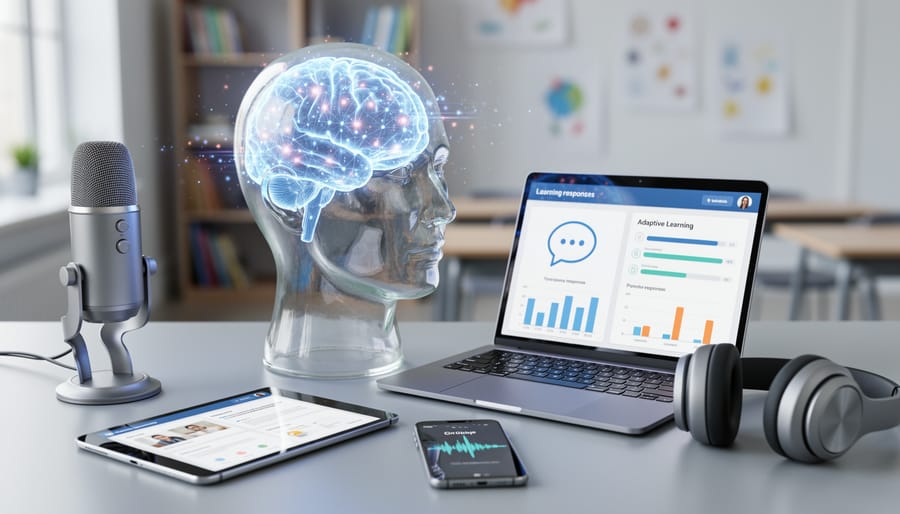
Artificial intelligence is software that can learn from experience, recognize patterns, and make decisions without a human telling it exactly what to do in every situation. Think of it as the difference between a calculator (which follows fixed rules) and a system that figures things out on its own.
When your child asks Alexa a question, they’re using AI. The voice assistant wasn’t programmed with every possible question and answer. Instead, it learned to understand language patterns and find relevant responses. Similarly, when Netflix suggests a show your family might enjoy, that’s AI analyzing viewing habits to make predictions.
In educational settings, AI shows up in apps that adapt to how your child learns. A math program might notice your daughter struggles with fractions but excels at geometry, then adjust the difficulty and pace accordingly. The software learns from her responses and changes its approach, something a printed workbook could never do.
AI is also the technology behind tools that recognize emotions in faces, translate languages in real-time, or suggest the next word as you type. It processes information, identifies patterns, and responds in ways that seem intelligent, though it’s different from human thinking.
For parents, the key point is this: AI is the “brain” that analyzes, learns, and decides. It’s not about what you see on a screen, it’s about the smart processing happening behind the scenes that makes technology feel responsive and personalized to your child’s needs.
How AR and AI Work Together (But Aren’t the Same Thing)
When AR Uses AI
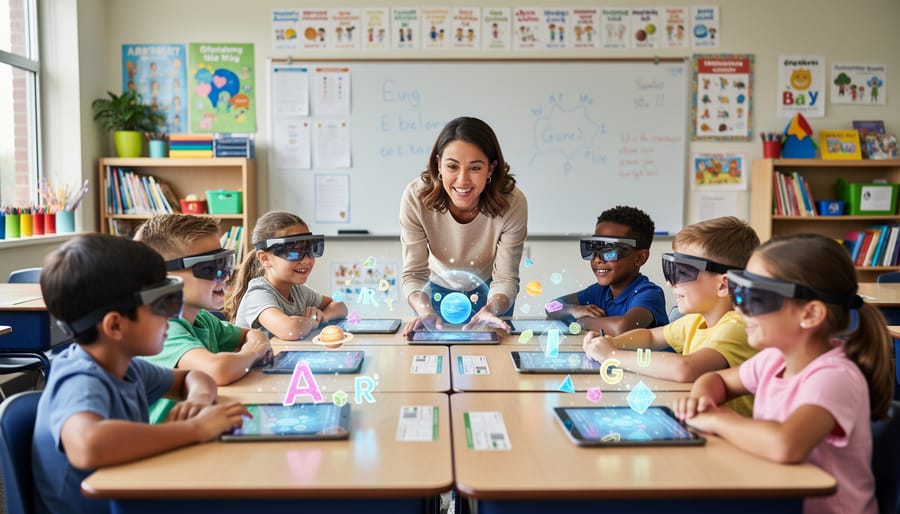
When AR combines with AI, learning tools become genuinely interactive and personalized. How AI learns needs transforms static overlays into responsive learning companions that adapt to each child’s pace and style.
Here’s how AI enhances AR learning experiences:
- Object recognition that identifies items and provides instant educational content when children point their device at plants, animals, or everyday objects
- Speech recognition in language learning apps that listens to pronunciation and offers real-time feedback through AR characters
- Adaptive difficulty systems that adjust math or reading challenges based on how the child responds to previous questions
- Emotional recognition software that reads facial expressions to gauge frustration or engagement levels during learning activities
In practice, this looks like a child holding up a tablet to a tree in the backyard, where the app not only displays the species name but answers follow-up questions the child asks out loud. Or a math game where an AR dinosaur adjusts problem difficulty automatically, celebrating success and offering hints when a child struggles repeatedly with the same concept.
The AI component creates a feedback loop that pure AR cannot achieve. When your child uses these tools, the software is actively processing their responses, voice, and sometimes even their emotional cues to personalize what happens next. This makes the learning experience feel more like working with a patient tutor than completing a preset activity.
When AR Works Without AI
Many powerful AR learning tools operate perfectly well without any artificial intelligence. These apps use pre-programmed content that displays the same way every time, which doesn’t diminish their educational value.
Anatomy apps like those showing a 3D heart or skeleton work by displaying fixed models that students can rotate and examine from different angles. The app doesn’t adapt to the child or make decisions, it simply shows predetermined information when triggered. Similarly, virtual museum tours overlay historical reconstructions or artifact information at specific locations, but the content remains static.
Flashcard apps that add simple 3D animations to vocabulary words or math problems fall into this category. When your child points a tablet at a flashcard and sees a butterfly appear, that’s pre-loaded animation, not intelligent response. Geometry visualizers that let kids manipulate shapes in three dimensions also work from fixed programming.
These tools remain incredibly effective for visual learners and children who benefit from hands-on exploration. The lack of AI simply means the experience stays consistent rather than personalizing to your child’s responses. For many learning goals, especially foundational concepts, this predictability is actually an advantage, children know what to expect and can revisit the same information reliably.
Different Types of AR Learning Environments for Kids
AR learning experiences come in several distinct forms, each designed to address different developmental needs and learning goals. In classroom settings, subject-based AR apps bring abstract concepts to life, imagine a science class where students use tablets to explore the human circulatory system in 3D, watching blood flow through chambers of a beating heart suspended above their desks. Math students might manipulate geometric shapes in the air, rotating and combining them to understand spatial relationships. These AR effects for learning help children grasp difficult concepts through hands-on interaction rather than passive observation.
Social-emotional learning represents another significant application. Some AR tools create safe spaces for children to practice emotional recognition and regulation. A child with autism might use an AR app that displays facial expressions overlaid on real faces, helping them learn to identify emotions in social situations. Other programs let kids create virtual scenarios where they practice conflict resolution or build empathy by experiencing stories from different perspectives.
In therapeutic contexts, occupational therapists increasingly incorporate AR into treatment plans. Children recovering from injuries might chase virtual butterflies to improve hand-eye coordination, or arrange digital objects to strengthen fine motor skills. The technology makes repetitive therapeutic exercises feel like play rather than work, increasing engagement and practice time.
Mental health applications show particular promise for anxiety management. AR relaxation environments can transform a clinical waiting room into a calming forest or beach, helping anxious children self-regulate before appointments. Some apps guide children through breathing exercises with visual AR prompts, making abstract mindfulness techniques concrete and accessible. Exposure therapy programs use controlled AR environments to help children gradually face fears in safe, adjustable settings.
Why This Matters for Your Child’s Learning and Wellbeing
Understanding whether an AR tool uses AI isn’t just technical trivia, it directly affects your child’s experience, privacy, and learning outcomes.
Privacy considerations matter more with AI-powered AR. Basic AR apps that overlay static 3D models typically don’t collect much personal information. But when AI enters the picture, these tools may track your child’s responses, speech patterns, facial expressions, or learning progress to personalize the experience. This data collection can be valuable for adaptation but requires careful evaluation. Always check what information an AR learning tool collects, where it’s stored, and whether you can control or delete it. Apps designed for children should comply with privacy regulations like COPPA, but it’s worth reading the privacy policy before handing your child a device.
Different kids benefit from different approaches. Some children thrive with AI-powered AR that adapts to their pace and provides immediate feedback. Others find this responsiveness overwhelming or prefer the predictability of simpler AR tools. Visual learners often benefit tremendously from any AR experience, seeing a 3D heart beating in front of them beats a textbook diagram. Kinesthetic learners engage deeply with interactive AR, whether it’s AI-powered or not. If your child struggles with traditional instruction, e-learning games and AR tools offer alternative pathways worth exploring.
Therapeutic applications show real promise. Children with anxiety have used AR environments to practice social situations in low-stakes settings. Kids on the autism spectrum often respond well to AR visual supports that help them understand abstract concepts or navigate social cues. The key is matching the tool to your child’s specific needs, not assuming all AR is equally helpful.
When evaluating any AR learning tool, ask: Does this genuinely serve my child’s needs, or is it just flashy? Understanding the technology behind it helps you make that call with confidence.
Questions Parents Often Ask About AR and AI in Learning
Is AR safe for my child’s eyes and overall development?
Most pediatric ophthalmologists recommend the same screen time guidelines for AR as for traditional screens, limiting sessions to 20-30 minutes with breaks, especially for children under 8. AR can actually reduce eye strain compared to flat screens because it encourages looking around your environment rather than fixating on one point, but moderation remains important.
Does my child’s AR learning app collect and share data?
Apps that combine AR with AI typically collect more information than basic AR apps, including voice recordings, facial expressions, or behavioral patterns to personalize learning. Always review the privacy policy and look for apps that are COPPA-compliant, avoid selling data to third parties, and allow you to delete your child’s information.
Can AR learning tools replace traditional therapy or classroom instruction?
AR works best as a supplement, not a replacement, for human connection in learning and mental health support. While AR environments can help children practice social skills or visualize difficult concepts, they should enhance, not substitute for, interactions with trained professionals, teachers, and peers.
At what age is AR appropriate for educational use?
Most experts suggest introducing simple AR learning tools around age 5 or 6, when children can distinguish between digital overlays and reality. For therapeutic applications, age appropriateness depends more on the specific tool and your child’s developmental needs than a fixed number, discuss options with your child’s therapist or educator.
These questions reflect what many parents wonder as schools and therapists increasingly incorporate technology into learning. Just as you might watch neuroscience videos to understand how children’s brains develop, exploring AR and AI helps you make informed decisions about your child’s digital learning environment.
Trust your instincts about what feels right for your family. If an AR app makes learning more engaging for your child without causing stress or excessive screen dependence, that’s valuable feedback. If it feels overwhelming or seems to replace important face-to-face time, scale back. You know your child best, and understanding the technology behind these tools simply gives you more confidence in those parenting decisions.
Understanding the difference between augmented reality and artificial intelligence isn’t just tech trivia, it’s about being an informed advocate for your child’s education and wellbeing. AR is the display technology that brings learning to life, while AI is the intelligence that makes those experiences adaptive and personalized. Sometimes they work together, sometimes AR stands alone, and both approaches have value in the right context.
Your instinct to ask questions about the technologies your child encounters shows exactly the kind of engaged parenting that helps kids thrive. As AR learning tools become more common in classrooms and therapy settings, you don’t need to become a tech expert, you just need to stay curious about how these tools work and whether they’re serving your child’s needs.
When used thoughtfully, both AR and AI can create meaningful learning experiences that support academic growth, social-emotional development, and mental health. Trust yourself to evaluate these tools with the same care you bring to every other aspect of your child’s education. The fact that you’re here, learning and asking, means you’re already doing it right.